
There is a feature I have been using a lot lately in my workflow when it comes to handing off designs to developers. I am talking about annotations.
Yes, those often overlooked little notes that are actually very powerful.
You can add annotations to any frame in your designs. One of the best parts? The annotation moves with the frame. Even if you copy that frame—let’s say a button—and paste it somewhere else, the annotation stays there.
This is especially powerful if you are working with components. You can add annotations to the variants and like magic, your entire file gets populated with annotations in no time.
The Problem Nobody Talks About
But there is a caveat to this great tool.
Only full seats and dev mode seats are able to see these annotations. Great if you have a dev mode seat. Not so much if you are a PM or a stakeholder reviewing the files.
Good luck explaining that one.
Yep, Figma pretty much wants everybody to have a paid account. So a workaround could be to use any other note widget to add annotations, but on a higher level. Not so much detail. More to guide the stakeholder who will not care about interactions or any other nuances related to design or logic.
I have found some good widgets that are helpful for these particular scenarios.
What About Comments?
You are probably thinking, what about comments? Why not just add comments for them?
Well, comments are good to start conversations. But after the design is approved, the comments can be resolved and often missed. Especially in large files where different parties are involved. Trust me, you will be fed up with the comment bubbles.
That is why I recommend some widgets I will list below.
In addition to this, what I have been doing in my design flows is to add a frame with a brief explanation of the intent of the flow. So the reviewer, even if they come a year after the design was delivered, will find useful information to remember or get familiarized with that particular flow.
My Favorite Annotation Widgets
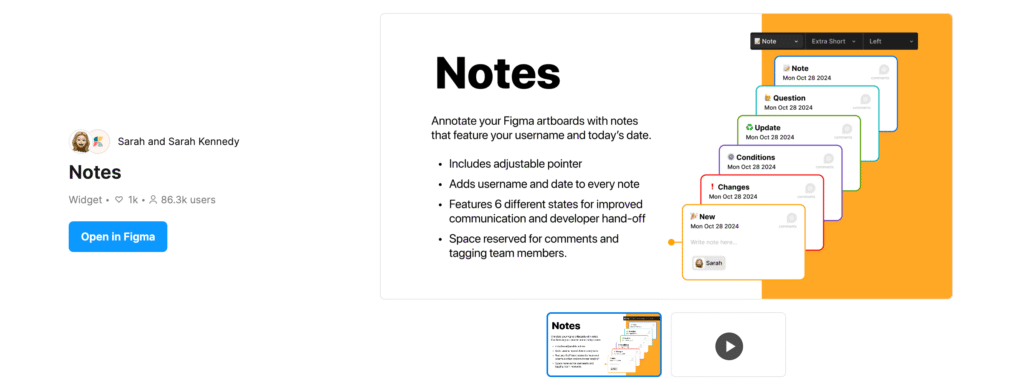
Notes
(community link)is a great widget. You can change between some categories, and there are some additional settings that allow you to easily place the note in the most convenient place on your design.
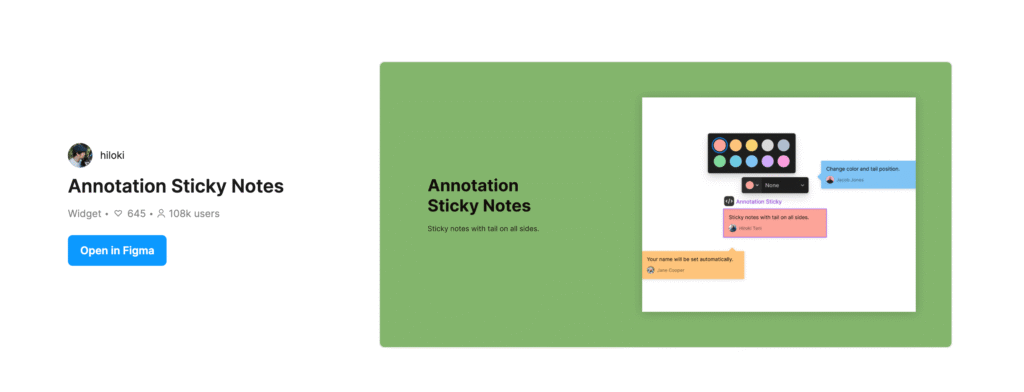
Annotation Sticky Notes
(community link) is also a good one. More like a sticky note style where you can change colors, which is helpful for important notes. But I honestly like Notes better due to its flexibility.
Remember, the purpose of these is to add notes for people visiting the file who are not paid seats. Hence, mind your language. Do not get too technical if the people reviewing are not developers. Try to be as clear as possible and be mindful of everybody’s time.
Taking Documentation to the Next Level
In addition to that, I highly recommend creating a source of truth where you can store UX documentation and leverage AI to keep it handy.
Using Notebook LM is a great way to centralize all your documents.
The way Notebook LM works is simple. You can create the UX documents and then export them into a PDF. Upload these PDFs into Notebook LM, and then you can share the notebook with your teammates. So at any point, if they have questions, all they need to do is ask these questions in the notebook chat. The answer will be based on the documentation stored.
And the great thing is that all this comes with references to the documents, so you will know it is not hallucinating. If you see that the answer is too detailed or lacks the reference link, double check. Could be a hallucination.
Something else that can be very helpful to add into the notebook is the PRD documents. That can provide great context to everybody about what the scope is or what needs to be done on a specific task or feature.
If you want to try Notebook LM, here is the link. You only need to have a Gmail account and you are good to go.
Notebook LM link
What about you? How do you handle design handoffs when not everyone has access to the same tools? I would love to hear what has worked for you or any other workarounds you have found. Drop a comment or reach out—let’s keep this conversation going.